
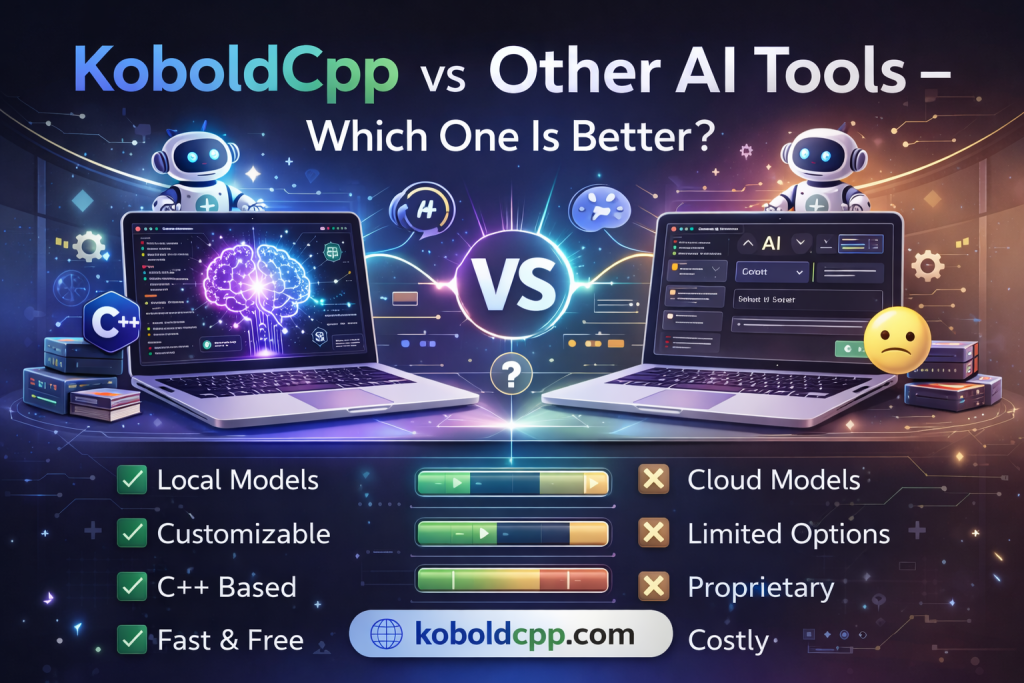
Choosing the right AI tool depends on your needs, setup, budget, and technical skills. KoboldCpp is one of many options available today for interacting with AI models, especially on local hardware. Other AI tools include cloud-based services like ChatGPT, Claude, Bard, and open-source frameworks such as GPT4all, Alpaca, and LLaMA-based interfaces. This comparison will help beginners and advanced users understand the strengths and limitations of each approach, so you can decide which one fits your use case best — whether it’s privacy, performance, cost, or convenience.
KoboldCpp: Local AI With Control and Privacy
What Makes KoboldCpp Stand Out
KoboldCpp allows users to run large language models locally on their own computer. You download a model file (usually GGUF format), load it into KoboldCpp, and it generates text entirely offline. There is no server, no cloud connection, and no external data logging unless you configure it yourself.
This privacy-focused design is ideal for users who:
- Want complete data control and offline operation
- Need customizable performance settings
- Prefer a lightweight, open-ended AI environment
Because the tool runs locally, you aren’t restricted by API quotas, subscription fees, or platform usage limits.
Strengths of KoboldCpp
- Full privacy: All AI processing happens locally.
- One-time setup: No ongoing subscription costs.
- Flexible hardware use: Can run on CPU or GPU, depending on your system.
- Integration-friendly: Works with scripts, editors, and multi-tool workflows.
- Good for custom uses: Creative writing, roleplay, research, code assistance (depending on model).
Limitations of KoboldCpp
- Hardware dependent: Large models require a powerful CPU/GPU and lots of RAM.
- Model quality varies: The AI quality depends on the model you choose.
- No built-in training: You can’t fine-tune models inside KoboldCpp without external tools.
- Basic interface: Less polished UI than many cloud tools.
Cloud-Based AI Tools: Ease of Use and Power
Examples of Cloud AI Services
Cloud AI tools include services like:
- OpenAI ChatGPT (Plus / Enterprise)
- Google Bard
- Anthropic Claude
- Microsoft Copilot
These tools rely on powerful remote servers to process requests and return responses via web interfaces or APIs. They are often subscription-based but offer strong performance and up-to-date models.
Strengths of Cloud AI Tools
- High-quality models: Often more advanced and better trained.
- Strong language understanding: Better at context retention and complex reasoning.
- No hardware requirements: You don’t need powerful local computers.
- User-friendly UI: Polished interfaces for casual users.
- Easy updates: Model improvements are automatic.
Limitations of Cloud AI Tools
- Ongoing cost: Subscription or pay-per-use API charges.
- Data privacy concerns: Your data is processed on external servers.
- Dependent on the internet: Cannot function offline.
- Less customization: Limited control over model internals.
Open-Source Alternatives: Flexibility Vs. Convenience
Tools Similar to KoboldCpp
Other local, open-source AI tools include:
- GPT4all — Local AI models with simple GUIs.
- Alpaca / Vicuna / LLaMA forks — Flexible open models.
- Local GUI wrappers (Text-Generation-WebUI, Ollama, etc.) — Tools that make local models easier to use.
These tools also aim for local operation and privacy, but vary in ease of use and performance.
Strengths of Open-Source Alternatives
- Free and customizable: You control models and configurations.
- Local execution: Same privacy benefits as KoboldCpp.
- Community support: Often a vibrant ecosystem of add-ons.
Limitations of Open-Source Alternatives
- Setup complexity: Some require more manual installation and dependencies.
- Performance limitations: Many local models are smaller and less capable than cloud models.
- Less polished UI: Interfaces vary widely in quality.
Key Comparison: KoboldCpp vs Other AI Tools
| Feature | KoboldCpp (Local) | Cloud AI (e.g., ChatGPT, Claude, Bard) | Other Local Open-Source Tools |
|---|---|---|---|
| Privacy | 🟢 Fully offline (local) | 🔴 Cloud-based | 🟢 Mostly local |
| Cost | 🟢 One-time | 🔴 Subscription/API | 🟢 Free/Open |
| Model Power | ⚪ Depends on model + hardware | 🟢 Very strong | ⚪ Varies by model |
| Ease of Use | ⚪ Moderate | 🟢 Very easy | ⚪ Variable |
| Internet Required | 🟢 No | 🔴 Yes | 🟢 No |
| Customization | 🟢 High | ⚪ Low | 🟢 High |
| GPU Support | 🟢 Yes (system dependent) | 🟢 Yes (cloud) | 🟢 Yes (system dependent) |
Use Cases: Which Tool Is Better?
Best for Privacy and Offline Use
KoboldCpp
Local open-source tools
Ideal when you want total control over your data and don’t rely on the internet.
Best for General Purpose and Accuracy
Cloud AI tools (ChatGPT, Claude, Bard)
These are usually better for complex reasoning, longer understanding, and up-to-date large models.
Best for Hobbyists and Experimenters
KoboldCpp
Open-source tools
Great for learning, customization, and experimenting without subscription fees.
Best for Enterprise and Productivity Workflows
Cloud AI tools
Enterprise features, strong performance, scale, and integration options make cloud AI ideal for business contexts.
Conclusion
KoboldCpp shines in privacy and offline control, letting you run AI models locally without cloud dependency, but its performance and output quality depend on your hardware and chosen model. Cloud-based AI tools generally offer stronger language abilities and faster responses thanks to powerful remote servers. The “better” option depends on your priorities—privacy and customization with KoboldCpp, or convenience and raw power with cloud AI services.