

Run LLMs anywhere, with KoboldCpp
KoboldCpp is a lightweight, standalone application that allows you to run large language models (LLMs) locally on your computer. It is based on the llama.cpp project and is especially popular for AI text generation and roleplay.

What Is KoboldCPP?
KoboldCPP is a powerful, C++ based backend built for running large language models locally using the GGUF format the same format supported by llama.cpp. Originally created to power storytelling and role-playing platforms like KoboldAI, it has grown into a complete local LLM engine capable of handling a wide variety of modern models, including:
- LLaMA, LLaMA 2, and LLaMA 3
- Mistral and Mixtral
- Phi and Gemma
- Qwen and Yi
- Many other models converted to GGUF
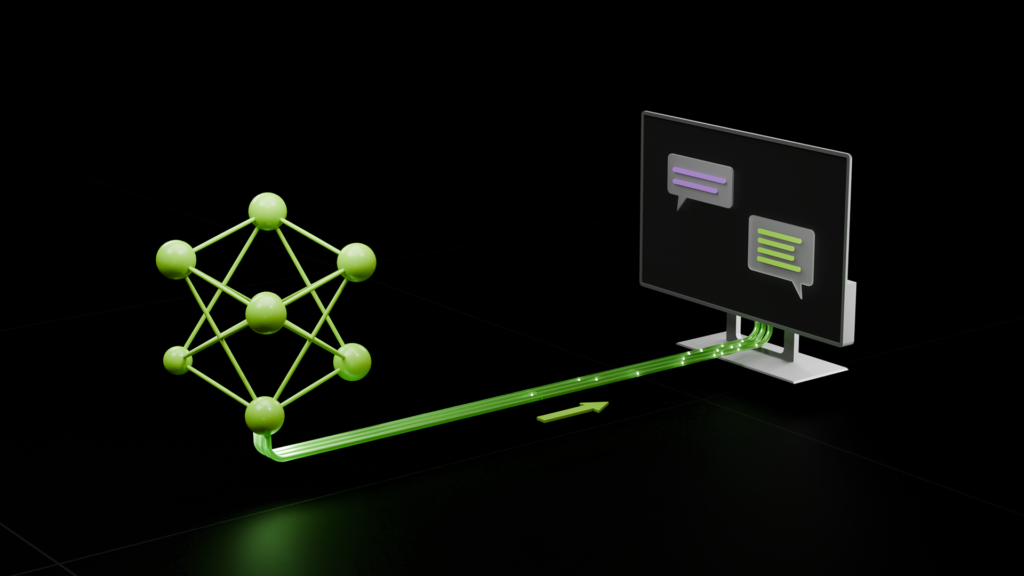
KoboldCPP includes both a built-in web interface and a text based API, making it a flexible solution for hobbyists, developers, and researchers who want to run AI models on their own hardware.
Why KoboldCPP Is Special?
While many tools exist to run LLMs locally such as llama.cpp, text-generation-webui, or Ollama KoboldCPP offers several distinct advantages that set it apart.
Optimized C++ Backend
Built with performance as a priority, KoboldCPP uses advanced matrix computation optimizations like BLAS, AVX, and CUDA acceleration to maximize inference speed on both CPUs and GPUs.
Its lightweight C++ design ensures minimal overhead, allowing users to run large models efficiently even on mid-range hardware without unnecessary system bloat.


Intuitive Web Interface
KoboldCPP includes a clean, browser based interface that makes interacting with models straightforward and enjoyable.
Whether you’re writing long-form stories, experimenting with prompts, or testing chatbot behavior, the UI remains responsive and easy to navigate.
It also supports:
- Character cards
- Memory management
- Scenario configuration
- Roleplay-focused formatting
These features make it especially popular among creative writers and AI roleplay communities.
Fully Offline & Privacy-Focused
One of KoboldCPP’s biggest strengths is its ability to run completely offline.
Once downloaded, no internet connection is required to generate text. This means:
- Your prompts stay private
- No data is sent to third-party servers
- No API usage fees
- Full control over your AI environment
For users concerned about data security and privacy, this is a major advantage.


Broad Model Compatibility
KoboldCPP supports a wide range of GGUF formatted models, making it highly flexible. From small lightweight models to large multi billion parameter models, users can experiment freely depending on their hardware capacity.
This compatibility ensures that as new open-source models are released, KoboldCPP can quickly adapt to support them.
Customization & Advanced Controls
Unlike simplified AI apps, KoboldCPP provides granular control over generation settings. Users can fine tune parameters such as:
- Temperature
- Top-p and Top-k sampling
- Repetition penalty
- Context size
- GPU layer allocation
These advanced controls make it ideal for developers and researchers who want precise behavior tuning.


API Support for Developers
Beyond its web interface, KoboldCPP includes a text based API that allows developers to integrate local AI generation into:
- Custom applications
- Games
- Chatbots
- Research tools
This makes it not just a storytelling engine, but a versatile local AI backend suitable for real world development projects.
How KoboldCPP Works
A complete step-by-step explanation for first-time users of KoboldCPP including what happens behind the scenes.
Download KoboldCpp
Download the official Windows version of KoboldCpp to run large language models locally on your PC with high performance and full offline capability.
Windows Version
Windows users, KoboldCpp provides a simple and portable executable file named koboldcpp.exe that does not require installation. You only need to download the file and run it directly on your system. It is compatible with 64-bit versions of Windows 10 and Windows 11, ensuring smooth performance on modern PCs. If your system includes an NVIDIA graphics card, you can choose the CUDA-enabled version to take advantage of GPU acceleration for faster model loading and improved text generation speed.
Documentation
Getting Started
Learn KoboldCpp basics and easily set up your first project using a clear, beginner-friendly guide designed for quick understanding success.
API Reference
Comprehensive KoboldCpp API documentation covering all functions, classes, and methods with clear explanations, usage details, parameters, and practical integration guidance.
Tutorials
Clear step-by-step tutorials guide you through mastering KoboldCpp’s advanced features, optimization techniques, workflows, and practical usage for better performance results.
Examples
Explore curated sample projects demonstrating KoboldCpp capabilities, real use cases, performance, features, and practical implementations across different setups, environments, workflows.
Configuration
Discover how to fine-tune KoboldCpp for your specific needs using our simple, practical configuration guide for better performance and stability.
Troubleshooting
Discover fixes for common errors, performance issues, and setup problems you may face while using KoboldCpp effectively in real scenarios.
Comparison
| Feature | KoboldCpp (CPU Mode) | KoboldCpp (GPU Mode) | Other Local Runners (Ollama etc.) |
|---|---|---|---|
| Installation | Single executable file | Executable + GPU drivers required | Installer or CLI setup required |
| Setup Difficulty | Very Easy | Medium | Medium |
| Hardware Requirement | Runs on CPU only | Requires NVIDIA/AMD GPU | Depends on backend |
| Performance Speed | Slow | Fast | Fast (config dependent) |
| VRAM Usage | Not required | Uses GPU VRAM | Depends on model size |
| RAM Usage | Moderate | Low to Moderate | Moderate to High |
| Model Format Support | GGUF | GGUF | GGUF, GGML, others |
| Quantization Support | Yes | Yes | Yes |
| Offline Capability | Fully Offline | Fully Offline | Fully Offline |
| UI Availability | Built-in Web UI | Built-in Web UI | CLI or Web UI (depends) |
| API Support | Yes | Yes | Yes |
| Cross Platform | Windows/Linux | Windows/Linux | Windows/Linux/macOS |
| Best For Beginners | Yes | Partially | Partially |
| Best For Developers | Basic use | Advanced use | Advanced workflows |
| Customization Options | Limited | Moderate | High |
| Model Loading Speed | Slow | Fast | Moderate |
| Community Support | Active | Active | Very Active |
| Use Case Example | Low-end PC chatbot | High-speed text generation | Production or dev testing |
Supported Models
KoboldCpp supports all GGUF-format models — hundreds of architectures and variants

LLaMA 3.x
8B–70B Meta's latest open-source LLM family
Mistral / Mixtral
7B–8x22B High-quality European AI models
Phi-3 / Phi-4
3B–14B Microsoft's efficient small models
Qwen 2.5
0.5B–72B Alibaba's multilingual powerhouse
DeepSeek
1.3B–67B Coder and reasoning specialist
Gemma 2
2B–27B Google's lightweight open models
Installation Guide
Download the Latest Release
Download the latest stable version of KoboldCpp for your operating system directly from our GitHub repository quickly and securely.
Extract the Archive
Unpack the downloaded KoboldCpp archive to any preferred location on your system to start using it efficiently and securely.
Install Dependencies
Install all necessary dependencies for your operating system as outlined in the KoboldCpp documentation to ensure proper setup and smooth operation.
Configure Your First Model
Follow the setup guide to configure your first language model and begin generating text efficiently with KoboldCpp locally.
Use Cases & Applications
Chatbots
KoboldCpp is widely used to build local AI chatbots that offer fast, private, and offline conversational experiences without cloud dependency.
Storytelling
Writers and creators use KoboldCpp to generate long-form stories, role-playing content, and interactive fiction with consistent narrative flow.
Research
Researchers rely on KoboldCpp for language model testing, prompt experimentation, and analyzing model behavior in a controlled local environment.
Automation
KoboldCpp integrates with local scripts and tools to automate tasks, generate AI responses, and support custom workflow systems.
Development
Developers use KoboldCpp as a backend for AI applications, rapid prototyping, API testing, and custom user interface development.
Education
Students and educators use KoboldCpp for learning assistance, explanations, and hands-on practice with offline language models.
Performance
Speed & Response Time
KoboldCpp is optimized for fast text generation, delivering responses with minimal noticeable delay. It provides smooth output for real-time chatting, storytelling, and long prompts. Thanks to efficient token processing, large language models run at stable speeds even on mid-range systems.
Resource Efficiency
KoboldCpp smartly manages system resources by balancing both CPU and GPU usage, reducing unnecessary load. It delivers usable performance even on low-RAM systems, making it a lightweight and practical solution for local AI users.
Stability & Long-Session Performance
KoboldCpp remains stable during extended usage. It handles long conversations, continuous prompts, and heavy text generation with minimal performance drops. Offline execution ensures network issues have no impact, providing a consistent and reliable experience.
Technical Specifications
Model Compatibility
KoboldCpp supports multiple GGML and GGUF–based language models. It allows easy loading of LLaMA, Alpaca, and custom fine-tuned models without any complex setup.
Hardware Acceleration
KoboldCpp supports both CPU and GPU acceleration. With CUDA and OpenCL integration, it delivers fast response speeds and stable performance even on low-end systems.
Memory Management
This software has highly optimized memory management. It efficiently loads large language models and controls RAM usage, reducing the risk of system crashes.
Platform Support
KoboldCpp works on Windows, Linux, and macOS. Its portable executable makes installation simple without requiring any heavy dependencies.
API & Frontend Integration
It includes a built-in local web UI and API support, allowing easy integration with custom frontends, chat interfaces, or automation tools.
Configuration & Customization
KoboldCpp provides advanced configuration options such as context size, threads, batch size, and sampling settings, allowing users to tune performance according to their requirements.
Frequently Asked Questions
What is KoboldCpp?
KoboldCpp is a local AI language model runner allowing offline chatbot and content generation using GGML and GGUF models.
How do I install KoboldCpp?
Download the executable for your OS, extract it, and run. No complex dependencies required for basic installation.
Which platforms are supported?
KoboldCpp supports Windows, Linux, and macOS, offering portable builds for easy local deployment without cloud reliance.
Is it free to use?
Yes, KoboldCpp is completely open-source under MIT license, allowing free personal and commercial usage without restrictions.
Do I need Python to run it?
No, KoboldCpp comes as a standalone executable. Python is optional for scripting or advanced API integration.
How much disk space is needed?
The size depends on the model used. Lightweight models need minimal space, while large ones require several gigabytes.
Does KoboldCpp support GPU acceleration?
Yes, it supports CUDA and OpenCL, improving inference speed and reducing response times on compatible GPUs.
How is memory managed?
KoboldCpp optimizes RAM usage, efficiently loading large models while preventing crashes or slowdowns on lower-end systems.
Can I adjust context size?
Yes, users can configure context size to control how much previous conversation the model remembers for better outputs.
What are threads in KoboldCpp?
Threads allow parallel processing of tasks. More threads improve speed but may increase CPU usage depending on system capacity.
Can batch size be changed?
Yes, batch size is adjustable to optimize performance. Larger batches improve throughput, smaller batches reduce memory usage.
How do sampling settings affect output?
Sampling options like temperature and top-p influence randomness, creativity, and diversity of generated text. Users can fine-tune outputs.
Can KoboldCpp create chatbots?
Yes, it can run offline chatbots locally, providing fast responses without sending data to cloud servers.
Is it suitable for storytelling?
Absolutely, it can generate long-form stories, role-playing scenarios, and interactive fiction with coherent and context-aware text.
Can developers integrate it into applications?
Yes, KoboldCpp provides API and local integration support for building custom AI apps and interfaces.
Can it automate tasks?
Yes, KoboldCpp can produce responses for scripts and workflow automation, supporting AI-driven task management.
Is it useful for research?
Researchers can use it for language experiments, model behavior analysis, and prompt testing without relying on cloud models.
Can it help in education?
Yes, students and educators use it for explanations, practice, and AI-assisted learning offline safely.
Why is KoboldCpp slow on my system?
Performance may depend on CPU/GPU specs, thread settings, and model size. Adjust configurations to improve speed.
How do I update KoboldCpp?
Download the latest executable from the official repository. No separate installer is needed for updates.
What if the model fails to load?
Ensure correct model format (GGML/GGUF), sufficient memory, and proper file path. Restarting often resolves minor issues.
Why does memory usage spike?
Large models or high context size consume more RAM. Reduce context, batch size, or switch to smaller models.
Can I run multiple instances?
Yes, but each instance consumes resources. Monitor CPU and memory usage to prevent system slowdowns.
How do I get support?
Support is available via KoboldCpp GitHub discussions, community forums, and documentation for troubleshooting guidance.
KoboldCPP – Run AI Models Locally, Free & Open-Source
KoboldCPP is fast, lightweight, and secure AI software for running language models locally, offline, and privately on your PC.
Price: Free
Price Currency: $
Operating System: Windows
Application Category: Software
4.5